Scroll & Keep is a Chrome extension for organizing products and their sources from your social feed. You choose what to save and stay in control of your data.
Products, sources and images are stored locally, separately for each signed-in account. Signing in does not move or upload your content. Download a local backup, or separately connect Google Drive for manual backups. There is no automatic sync.
02
Sign in. Choose how to back up.
Google and Supabase process basic identity information for sign-in and account access checks. Drive backups require separate authorization and only access this app’s hidden data area. Account-based local features work without Drive.
03
Currently free. Support is voluntary.
Available features are currently free, subject to usage limits. Voluntary support does not unlock features or increase limits. Contributions are not yet available, and no payment is required to use the product. Plans may change; any charges will be explained in advance, and you choose whether to buy.
How it works
From a discovery to a saved record.
Check the hint, then review the details. You decide what to keep.
STEP 01
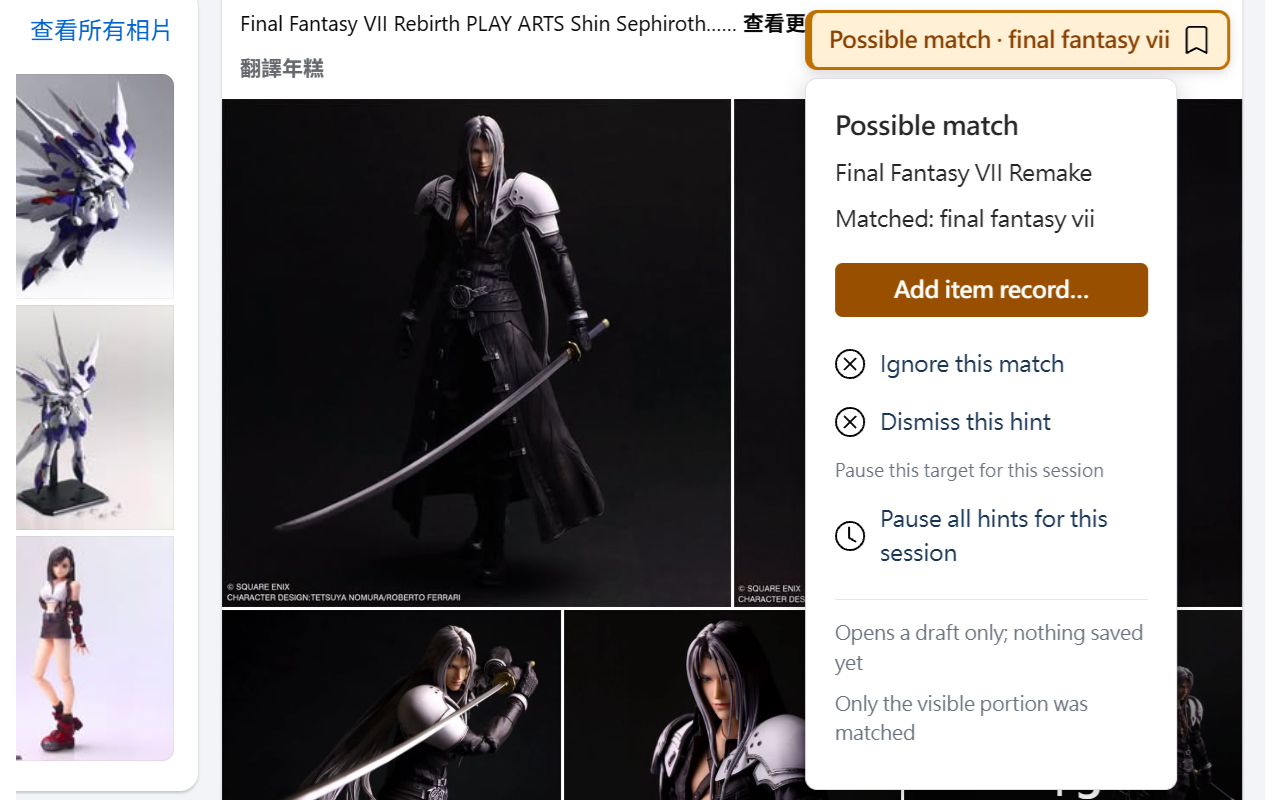
Check the hint. Decide whether to add it.
On supported Facebook pages, Scroll & Keep matches visible posts against your conditions and shows a “Possible match” hint. Open a product draft, ignore or dismiss the hint, or pause hints for this browsing session.
Only visible content is matched. Opening a draft does not save it.
STEP 02
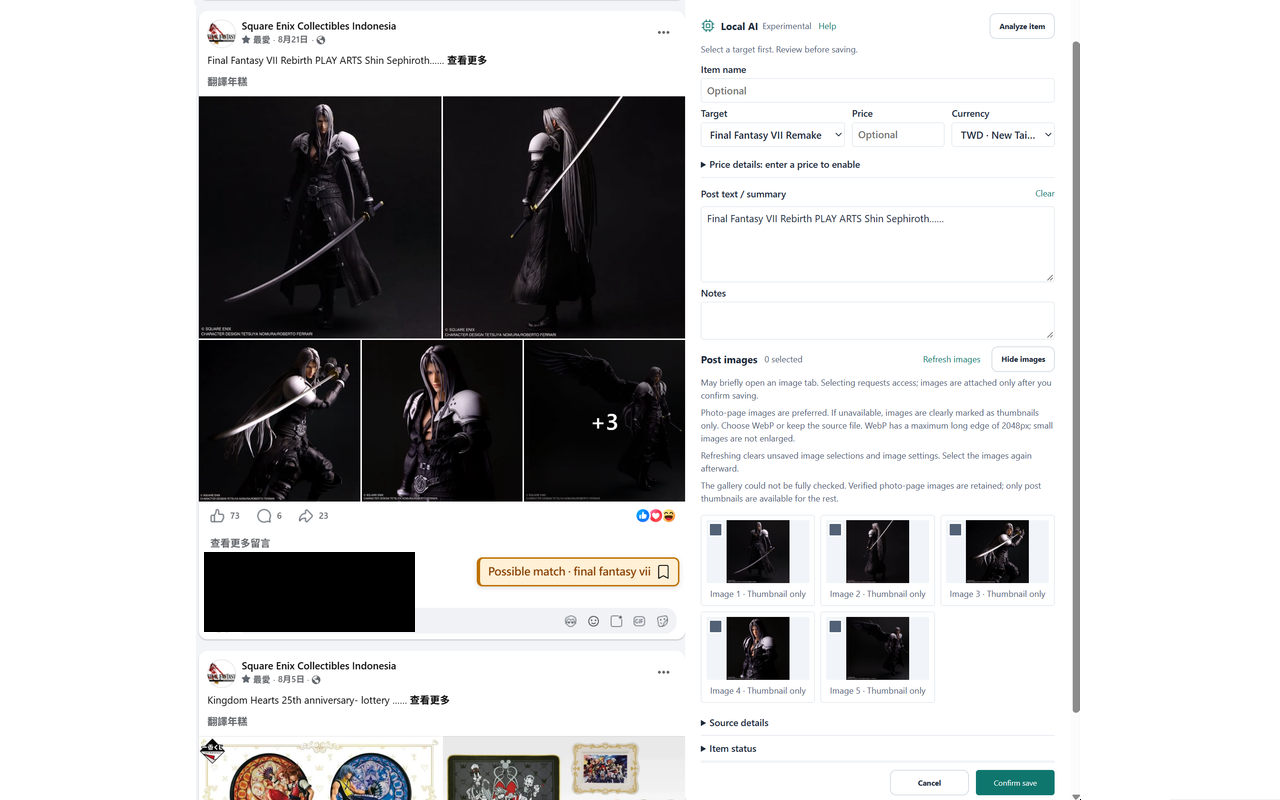
Review the original. Confirm before saving.
Organize the target, product name, price, summary and notes beside the original post, and choose which images to include. Review, edit or cancel first. A local record is created only when you confirm the save.
Keep the original in view while you organize the details.
These examples show the English interface. The current version may look different.
What can the current beta do?
With sign-in and valid feature access, add, edit and organize local product records. Match monitoring conditions on supported Facebook pages and confirm each record before saving. Local backup and restore, and optional manual Google Drive backup, are also available.
A standard free account supports up to 3 monitoring targets and 20 source records, with up to 10 inclusion keywords and 20 exclusion terms per target. Existing test or gift accounts retain their original limits and expiry differences, independent of contributions.
The beta is not yet publicly available to install. This website provides product and privacy information; it has no account sign-in, product upload or payment functions.